
Ergonomic Office Chairs: The Smart Way to Work Better, Hurt Less, and Love Your Desk Again
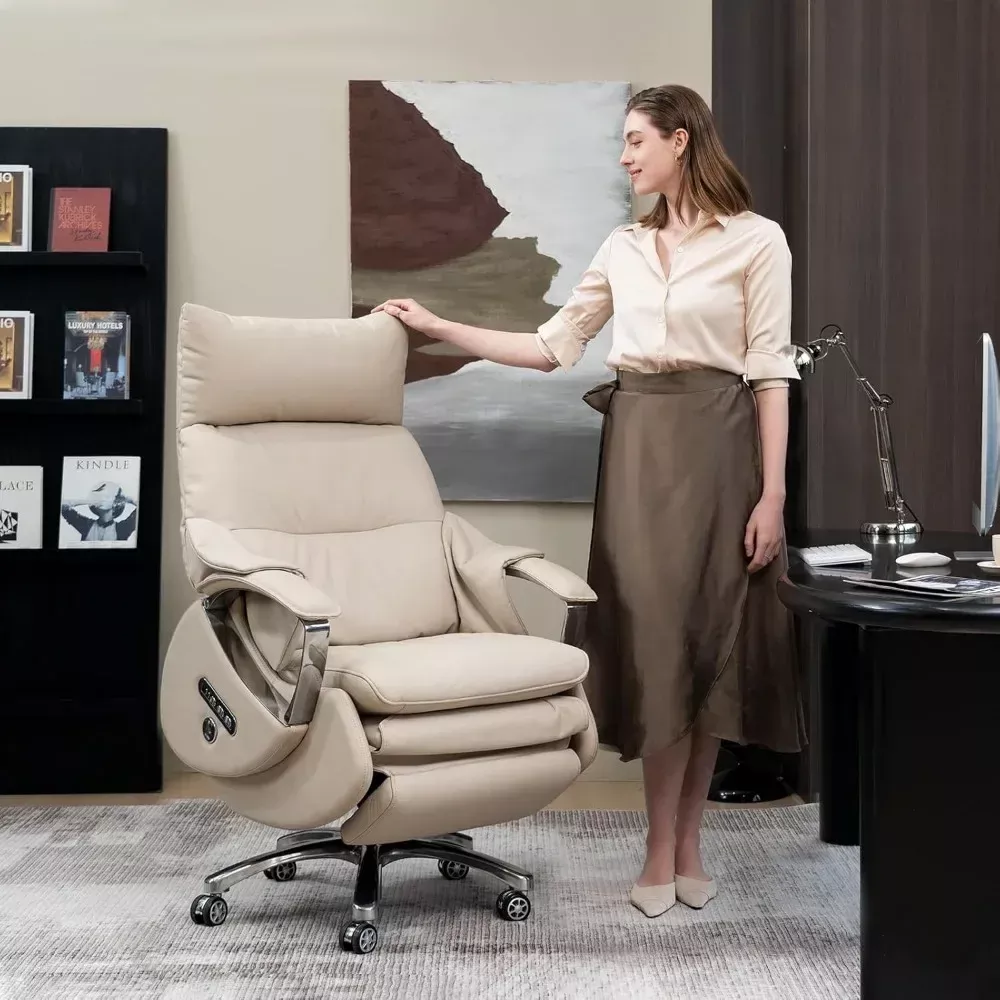
Ergonomic office chairs aren’t a luxury anymore — they’re the baseline for modern work. Whether you’re building a home studio, managing a team from a hybrid office, or gaming after hours, the chair you sit on has a measurable impact on posture, energy, and focus. This guide breaks down what “ergonomic” really means, how to pick a chair that fits your body and your day, and which models at Alchemique deserve a spot in your workspace.
We’ll cover core features (and which ones actually matter), fit and sizing, upholstery choices, adjustment checklists, common mistakes, care tips, and expert-level buying scenarios. Throughout the guide, you’ll find hand-picked product callouts to help you compare options without guesswork.
What “Ergonomic” Really Means (and What It Doesn’t)
Ergonomics is the science of designing tools and environments that fit humans — not the other way around. An ergonomic chair should:
- Support neutral posture
Neutral posture keeps the spine’s natural S-curve, with your pelvis slightly forward, chest open, and head balanced over the shoulders. The chair should help you sit that way without thinking about it. - Adapt to your body and your tasks
People vary in height, weight, shoulder width, thigh length, hip width, and preferred working angles. An ergonomic chair offers enough adjustments to meet that variety and to shift with you between typing, reading, calls, and breaks. - Reduce static load
Sitting still is the enemy. Great chairs enable micro-movements: recline, rock, pivot, and reposition. The goal is circulation, not stiffness. - Be simple to tune
Adjustments you can’t find, reach, or understand won’t be used. Good ergonomics equals intuitive controls.
What “ergonomic” doesn’t mean: buzzword padding. A chair with thick foam but no adjustability isn’t ergonomic. Nor is a stylish executive chair that locks you into one angle all day. Focus on fit and function first; finish and style come next.
The 8 Features That Matter Most (Ranked)
- Seat Height Range
You want feet flat, knees ~90–100°, thighs parallel to the floor, and hips slightly higher than knees. A broad height range covers more users and more desk setups. - Seat Depth (a.k.a. “seat slide”)
You should have 2–3 fingers of space between the seat edge and the back of your knees. Too long compresses calves; too short reduces thigh support. - Lumbar Support
Adjustable height (and ideally firmness) that meets the lumbar curve — not above, not below. Detachable pillows are fine if they stay put and match your curve. - Backrest Recline + Synchro Tilt
Reclining to 110–120° reduces spinal load. Synchro mechanisms move seat and back in a ratio so your hips don’t slide forward when you lean back. - Armrest Adjustability
At minimum: height. Even better: width, depth (forward/back), and pivot (angle). Arms should lightly support forearms without lifting shoulders. - Seat Foam & Distribution
High-resilience foam or spring pockets prevent “bottoming out” and hot spots. Denser foam isn’t always better — you want supportive, not brick-hard. - Base & Casters
A five-star metal base with smooth casters keeps you stable and mobile. Consider soft casters for hard floors, hard casters for carpet. - Upholstery & Breathability
PU leather = easy care, plush feel, premium look. Mesh = airflow. Genuine leather = durability and a luxe patina over time. Choose for climate and vibe.
Quick Sizing Guide (So You Buy Once, Not Twice)
- Height under ~5’6″ (168 cm): Look for lower minimum seat height and narrower shoulder span; avoid deep seats unless depth is adjustable.
- Average height (5’7″–6’1″ / 170–185 cm): Most chairs fit with standard ranges; prioritize depth adjustment and recline comfort.
- Big & Tall (above ~6’2″ / 188 cm or 230+ lbs / 104+ kg): You need reinforced frames, wider seats, thicker foam, and higher backrests with stable tilt.
Pro fit test: Sit, set height first (feet flat). Slide the seat so you can place two fingers behind the knee. Raise/lower lumbar to your natural curve. Adjust armrests so shoulders are relaxed and elbows ~90°. Recline and set tilt tension so the backrest follows you without throwing you forward.
Expert Buying Scenarios (with Alchemique Picks)
1) Executive Presence + All-Day Support
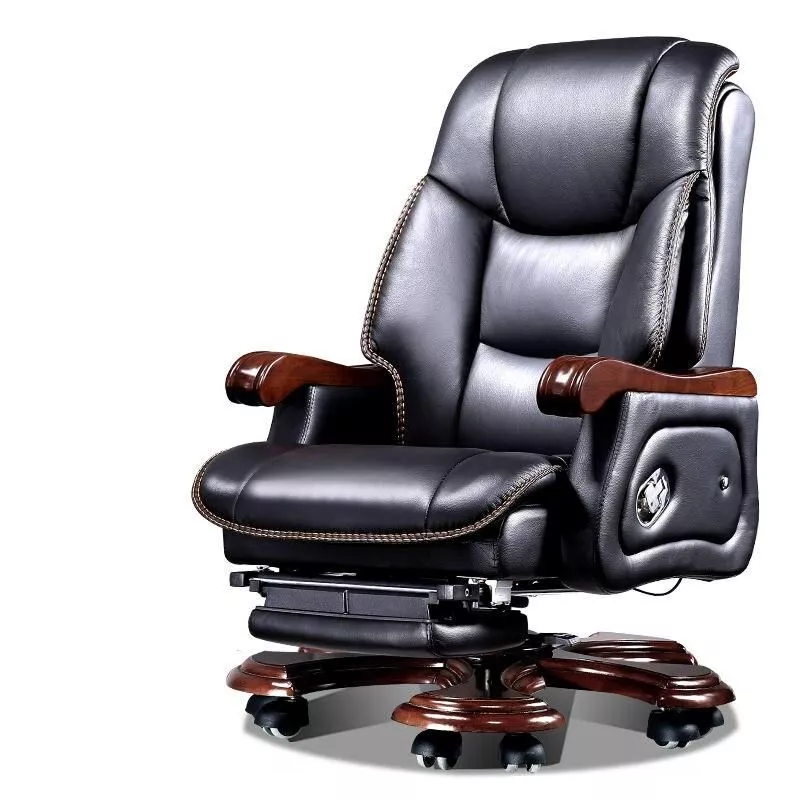
You lead calls, host clients, and want luxury without sacrificing ergonomics.
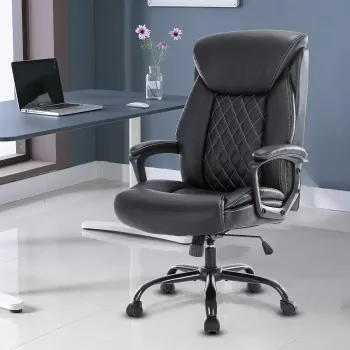
- Pick: Luxury Ergonomic Swivel Office Chair with Armrests and Rollers — genuine executive aesthetics, deep cushioning, silky casters, and adjustable ergonomics that justify long sessions.
→ Shop: https://alchemique.com/luxury-ergonomic-swivel-office-chair-with-armrests-and-rollers/
Why it works: Plush cushioning, substantial build, and smooth mobility. The design communicates authority while the adjustability keeps you comfortable during back-to-back meetings.
2) Heavy-Duty Comfort + Recline Breaks
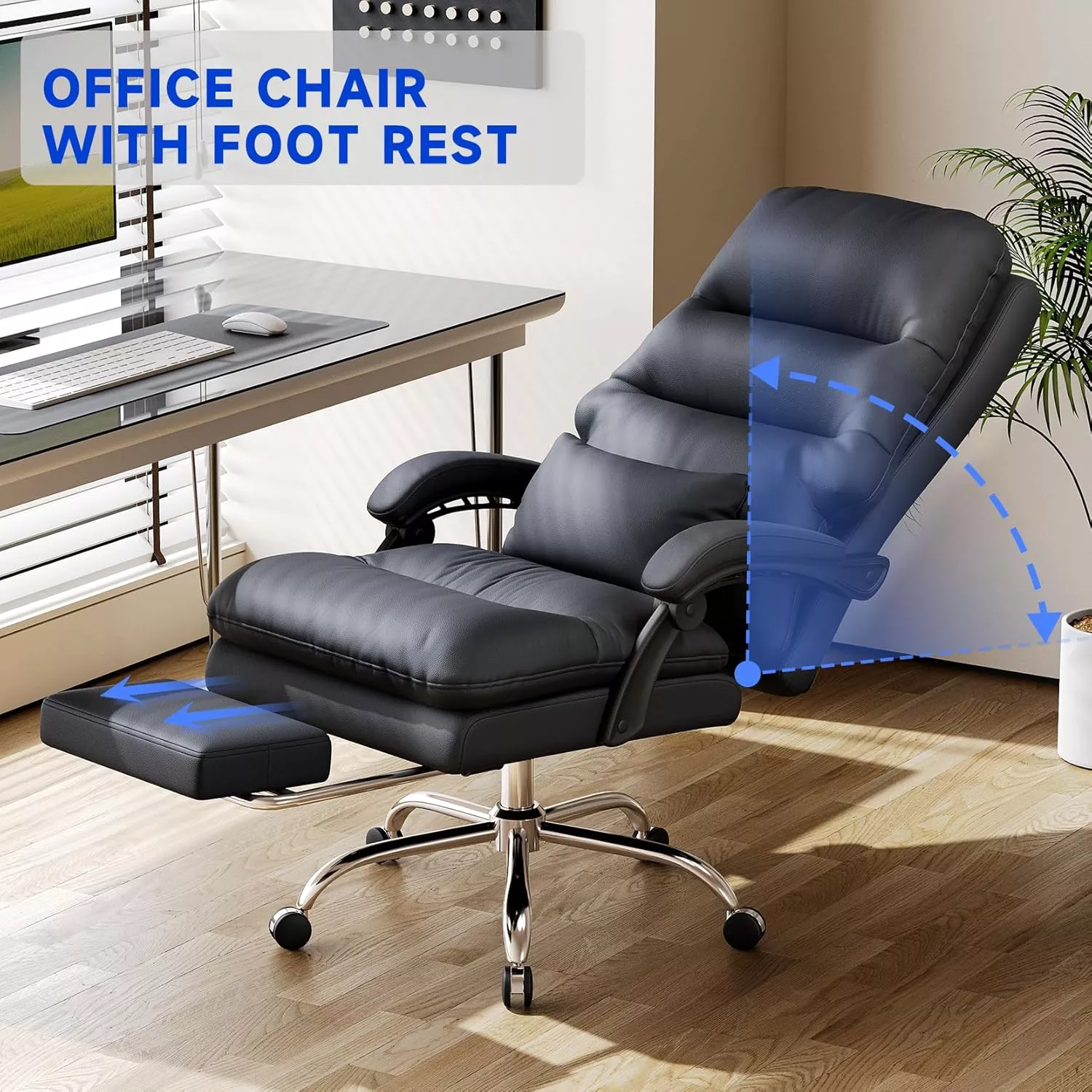
You go long hours and want a chair that supports higher loads and real recovery-mode recline.
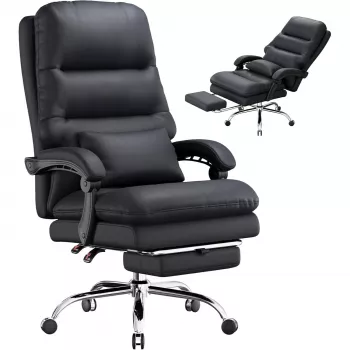
- Pick: Ergonomic Office Chair with Footrest, Lumbar Support, PU Leather, 400LBS Capacity — extended footrest, supportive lumbar pillow, and a 90–135° recline that actually lets you change posture mid-day.
→ Shop: https://alchemique.com/ergonomic-office-chair-with-footrest-lumbar-support-pu-leather-400lbs-capacity/
Why it works: High capacity, synchronized armrests during recline, and dense foam padding. Great for power breaks without leaving your desk.
3) Big & Tall, Built to Last
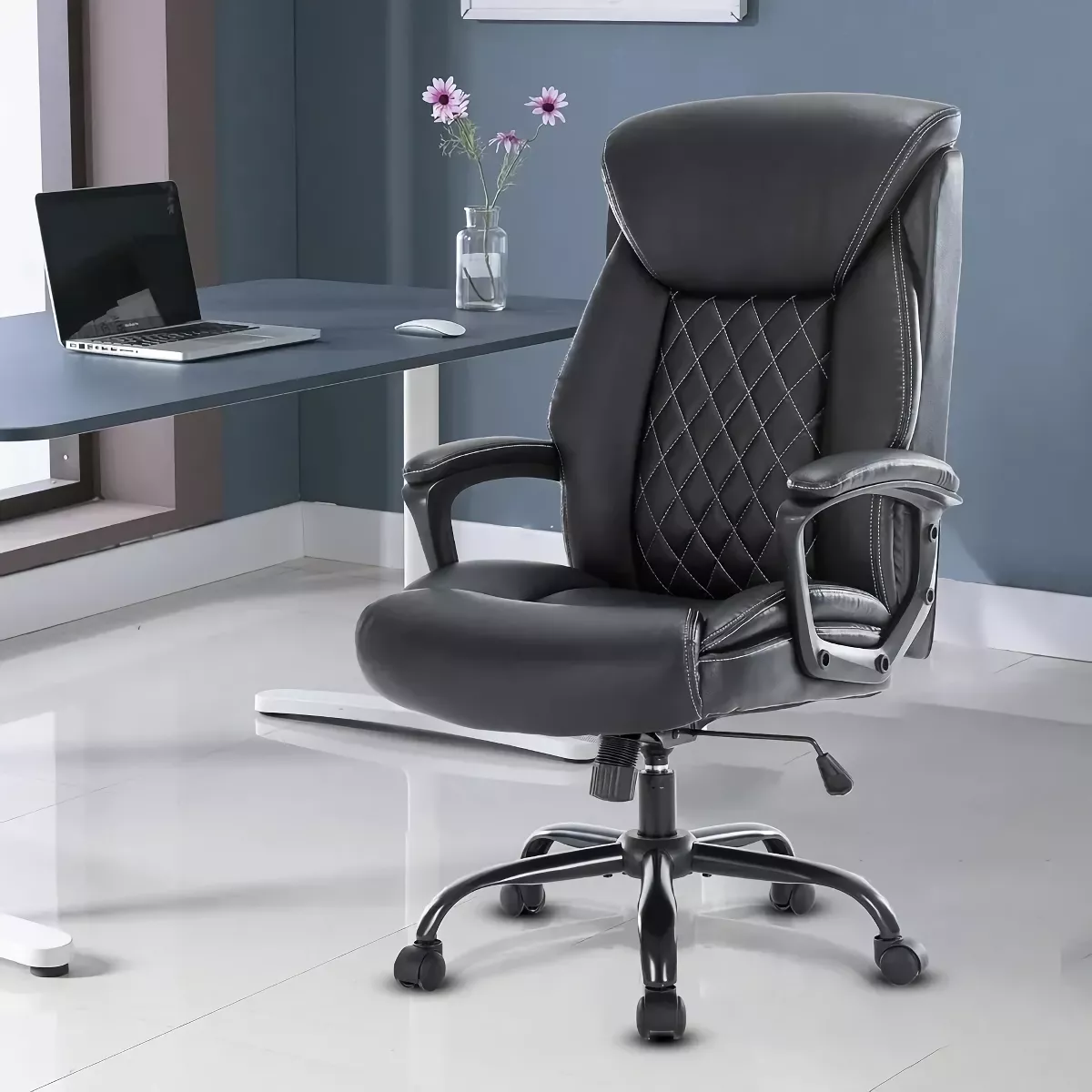
You’ve outgrown “one-size-fits-all” and need a chair that feels stable and sized right.
- Pick: Big and Tall Ergonomic Office Chair: Adjustable, Comfort-Focused Gaming and Desk Chair — reinforced base, generous proportions, and BIFMA-compliant durability.
→ Shop: https://alchemique.com/big-and-tall-ergonomic-office-chair-adjustable-comfort-focused-gaming-and-desk-chair/
Why it works: The geometry fits larger frames, the padding stays supportive, and the adjustability dials in posture for long stretches.
4) Space-Saver with Everyday Adjustments
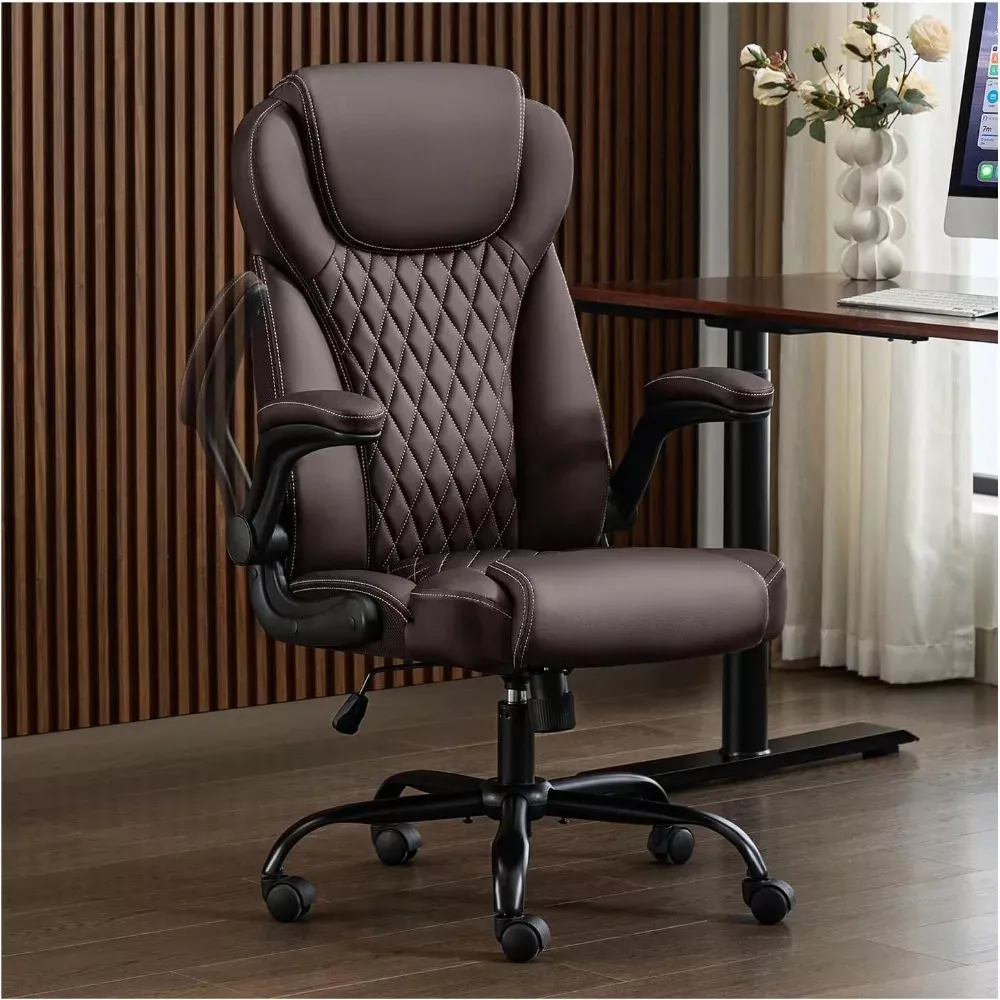
You need comfort during work, but also want the chair to tuck neatly under the desk.
- Pick: Ergonomic Leather Office Chair with Flip-Up Arms — padded support, tilt/rock, and flip-up arms that instantly reclaim floor space.
→ Shop: https://alchemique.com/ergonomic-leather-office-chair-with-flip-up-arms/
Why it works: It’s ergonomic where it counts, yet practical for compact home offices.
5) Premium Wellness Station
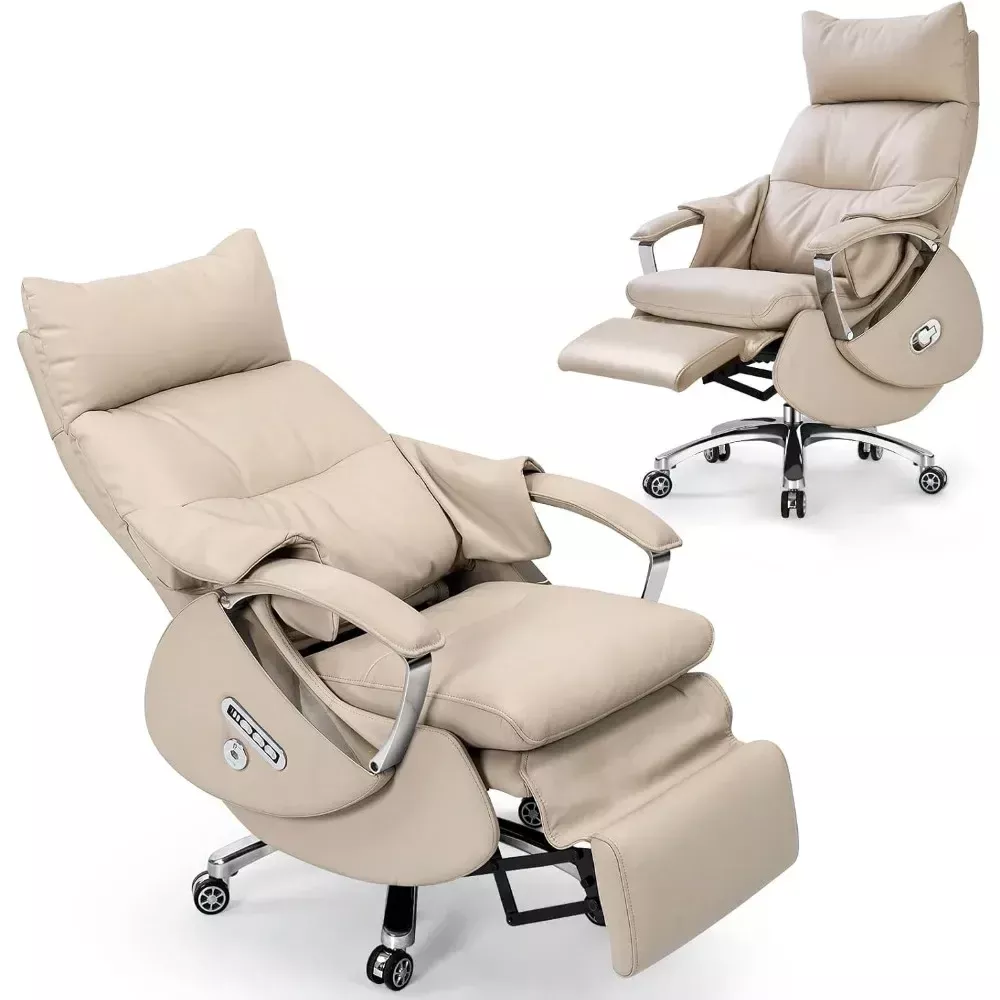
You want genuine leather, electric lumbar adjustment, and nap-worthy recline for deep recovery.
- Pick: Ergonomic Leather Office Chair with Footrest, Massage & Electric Recline — genuine leather, ventilated seat, electric lumbar airbag with massage, and a robust frame for a grounded, executive feel.
→ Shop: https://alchemique.com/ergonomic-leather-office-chair-with-footrest-massage-electric-recline/
Why it works: Customizable back support on demand. For marathon workdays, you’ll actually use these features.
6) Modern Minimal with Recline & Footrest
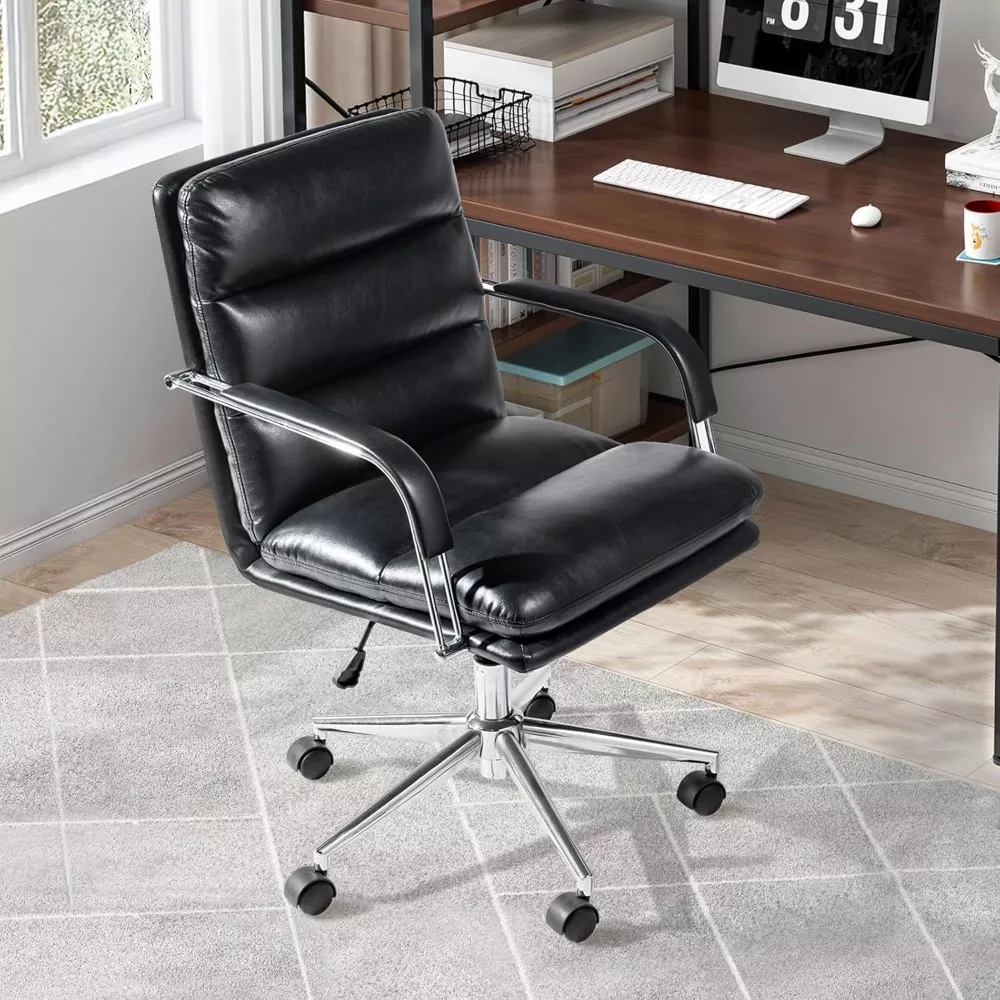
You prefer a cleaner, lighter aesthetic that still delivers the comfort must-haves.
- Pick: Modern Ergonomic Leather Office Chair with Reclining Backrest & Footrest — sleek quilting, integrated footrest, adjustable height/recline, and easy-care PU.
→ Shop: https://alchemique.com/modern-ergonomic-leather-office-chair-with-reclining-backrest-footrest/
Why it works: Contemporary look, everyday ergonomics, and great value.
7) Design-First, Retro-Cool
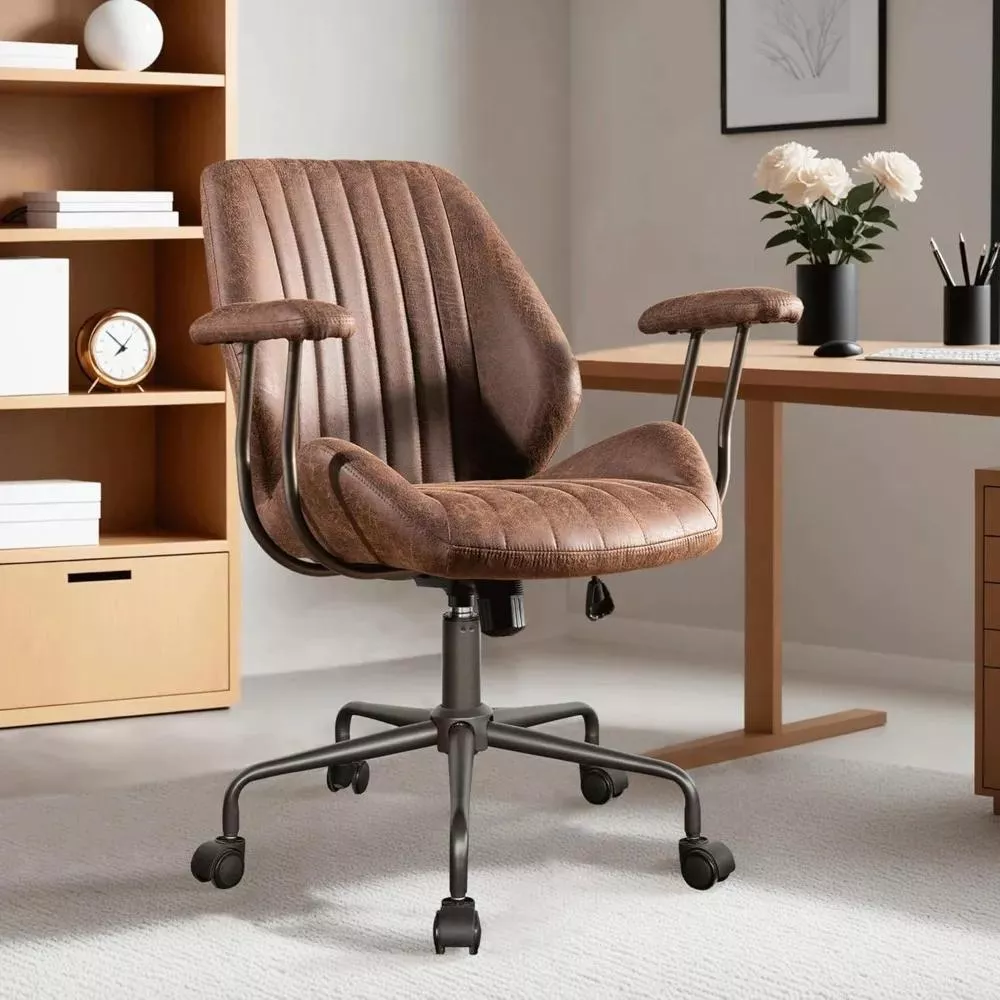
You want warm, mid-century style without giving up swivel and height adjustments.
- Pick: Ergonomic Mid-Century Modern Office Chair — sculpted cushioning, smooth faux leather, and a compact footprint that blends with living-room-grade spaces.
→ Shop: https://alchemique.com/ergonomic-mid-century-modern-office-chair/
Why it works: Design that complements a creative studio or hybrid living/work area, with the key ergonomics you actually use daily.
PU vs. Genuine Leather vs. Mesh: Which Upholstery Fits You?
- PU Leather
- Pros: Affordable, uniform finish, easy to clean, stain-resistant, luxe look.
- Cons: Less breathable than mesh; quality varies by density and topcoat.
- Genuine Leather
- Pros: Long-wear durability, breathes better than PU, ages with character.
- Cons: Higher price, needs occasional conditioning, sensitive to direct sun.
- Mesh
- Pros: Maximum airflow, light visual presence, easy summer comfort.
- Cons: Can feel firm; lower-grade mesh can sag over time.
Tip: If your space runs warm or you run hot, prioritize airflow (ventilated seat designs, mesh panels, or lighter upholstery tones). If you want a classic executive statement that doubles as home décor, go leather or high-grade PU with quilting or stitching detail.
The Adjustment Playbook (5 Minutes to Transform the Way You Sit)
- Seat Height: Raise until hips are slightly above knees. Feet flat.
- Seat Depth: Slide so you can fit two fingers between seat edge and knee crease.
- Lumbar: Move lumbar so it nestles into your lower back’s inward curve; adjust firmness if available.
- Armrests: Set height to support forearms lightly without lifting shoulders; bring arms closer or farther so elbows hang naturally beneath shoulders.
- Recline & Tension: Pick a working angle (100–110° for typing, 110–120° for reading/calls). Set a tension that follows you — not too loose, not locked.
Bonus: If your chair includes an extendable footrest, use it when reclining for genuine pressure relief. Your lower back will notice.
Common Pain Points — and How the Right Chair Solves Them
- Lower Back Ache: Usually a lumbar height/firmness mismatch or seat depth too long. Fix with precise lumbar and depth adjustments; consider a model with adjustable pillow/airbag lumbar if your curve is pronounced.
- Neck/Shoulder Tension: Armrests too low or too far apart; screen too low. Raise arms to support elbows and lift your monitor so the top third of the screen is at or slightly below eye level.
- Numb Thighs: Seat pan pressing into the knee crease; depth is too long or the seat front edge is too sharp. Shorten depth or choose chairs with waterfall front edges.
- Hot/Sticky Comfort: Foam density too high or upholstery without breathability. Opt for ventilated seat designs, mesh panels, or genuine leather that breathes better than basic PU.
If you want a human, non-salesy perspective, this 4-minute story explains how a teen’s ergonomic chair cut back and neck complaints:
https://vocal.media/gamers/i-thought-gaming-chairs-were-a-joke-then-my-son-got-one
Real-World Workflows: Match Chair to Task
- Deep Focus (coding, writing): Slight forward tilt or a firmer lumbar; arms at typing height; recline ~100–105°.
- Reading/Reviewing: Backrest at 110–115° with mild tension; headrest (if present) lightly touching back of head; optional footrest.
- Calls/Collab: 105–110° with soft rock to keep blood moving.
- Creative Ideation: 110–120° recline with dynamic tilt to encourage movement; feet occasionally on footrest to alter pressure points.
- Break/Nap Mode: 120–135° recline with extended footrest and supported lumbar (electric airbag systems shine here).
Care & Longevity (Make Your Chair Last Years)
- Weekly: Quick wipe with a microfiber cloth; remove grit from casters (it’s shocking how much collects).
- Monthly: Check bolts, arm screws, and gas lift sleeve for play. Tighten lightly.
- PU Leather: Use a mild soap solution; avoid harsh solvents.
- Genuine Leather: Condition 1–2× per year. Keep out of direct heat and intense sunlight.
- Casters: If you’re on hardwood, consider soft casters or a chair mat to protect the finish and roll smoother.
Budget vs. Premium: Where the Money Goes
- Mechanisms: Synchro-tilt systems and smooth recline cost more but dramatically improve comfort.
- Foam & Frame: Denser, more resilient foams + reinforced metal bases resist sag and squeaks.
- Upholstery: Genuine leather and complex stitching elevate both durability and aesthetic.
- Advanced Comfort: Electric lumbar, massage modules, and extended footrests add real-world recovery value.
Value tip: If you work 40 hours/week, the cost per hour of a better chair becomes tiny within months — especially if it helps you feel better at the end of each day.
Quick Compare: Which Alchemique Chair Fits Your Profile?
- Want boardroom presence with plush comfort?
→ Luxury Ergonomic Swivel Office Chair - Need high capacity and an actual recline/footrest you’ll use daily?
→ Ergonomic Office Chair with Footrest, Lumbar Support, 400LBS - Big & Tall and tired of undersized seats?
→ Big and Tall Ergonomic Office Chair - Tight workspace, want flip-up arms?
→ Ergonomic Leather Office Chair with Flip-Up Arms - Want genuine leather + electric lumbar for wellness breaks?
→ Ergonomic Leather Office Chair with Footrest, Massage & Electric Recline - Prefer modern minimal with a clean silhouette?
→ Modern Ergonomic Leather Office Chair with Reclining Backrest & Footrest - Love mid-century aesthetics with real comfort?
→ Ergonomic Mid-Century Modern Office Chair
FAQ
Yes — if you choose one with the right fit and features. Better posture, fewer pressure points, and movement through the day improve comfort and focus.
Mesh is cooler and lighter; leather (genuine or PU) is cushier, easier to wipe, and delivers an executive look. Choose based on climate and style.
Research consistently favors a slight recline for long sessions (about 100–110°). For reading or calls, 110–120° can reduce spinal load further.
Set height so hips are slightly above knees, feet flat, and thighs level. Adjust desk or keyboard height to maintain relaxed shoulders and elbows near 90°.
Only if you lean back often during calls or breaks. If you stay upright for focused tasks, prioritize lumbar and seat depth over a headrest.
With routine care, quality chairs last 5–10 years or more. Upholstery choice, frame quality, and user weight/usage patterns matter.
Absolutely. Look for models with smooth recline, adjustable armrests, and supportive foam. A footrest is a bonus for long sessions.
Final Word: Buy for Fit, Movement, and Feel
A great ergonomic chair disappears under you. It keeps your spine happy, your shoulders relaxed, and your attention where it belongs. Pick for fit first (height, depth, lumbar), then movement (recline and tilt that actually follow you), and finally feel (foam quality and upholstery that match your climate and style).
Alchemique’s curated selection covers every scenario — from high-capacity workhorses to executive leather statements and mid-century pieces that elevate your room. If you’re unsure which way to go, start with the three most telling questions:
- How long do I sit at a stretch?
- Do I need space-saving features (flip-up arms, compact footprint)?
- Do I value plush support and executive feel, or airflow and minimal visual weight?
Match those answers to the picks below and you’ll land on the right chair the first time.
Shop our top ergonomic chairs now:
- Luxury Ergonomic Swivel Office Chair → https://alchemique.com/luxury-ergonomic-swivel-office-chair-with-armrests-and-rollers/
- Ergonomic Chair with Footrest, 400LBS → https://alchemique.com/ergonomic-office-chair-with-footrest-lumbar-support-pu-leather-400lbs-capacity/
- Big & Tall Ergonomic Office Chair → https://alchemique.com/big-and-tall-ergonomic-office-chair-adjustable-comfort-focused-gaming-and-desk-chair/
- Ergonomic Leather Chair w/ Flip-Up Arms → https://alchemique.com/ergonomic-leather-office-chair-with-flip-up-arms/
- Leather Chair w/ Footrest, Massage & Electric Recline → https://alchemique.com/ergonomic-leather-office-chair-with-footrest-massage-electric-recline/
- Modern Ergonomic Leather Chair w/ Recline & Footrest → https://alchemique.com/modern-ergonomic-leather-office-chair-with-reclining-backrest-footrest/
- Ergonomic Mid-Century Modern Office Chair → https://alchemique.com/ergonomic-mid-century-modern-office-chair/










Leave a comment
You must be logged in to post a comment.